CRM system for single-product e-commerce: HubSpot, Pipedrive, Bitrix24 or SendPulse

A CRM for single-product e-commerce is where every lead from your ads gets a status, an responsible manager, and a call history, instead of getting lost in a chat. Below: how to choose between HubSpot, Pipedrive, Bitrix24, and SendPulse CRM, and how to set up a landing page so orders go into the CRM without manual transfer.

Build a landing page for freeNo registration needed. Pro for 7 days, no card required, once you save your landing page.

What is a CRM system and why does a single-product business need one?

A CRM system is a database of leads and customers where every order moves through a funnel of statuses: new, no answer, confirmed, shipped, picked up, or returned. In cash-on-delivery e-commerce, this isn't an optional extra. Without it, you can't see your real approval rate or know at which step you're losing money.

A typical picture without a CRM: leads sit in a Telegram chat and a spreadsheet, the manager calls from memory, and repeat calls get forgotten. You didn't pick up in the morning, and by evening nobody remembers that customer. That's a missed call that could have been followed up.

With a CRM, every lead has an owner, the time of the last action, and a reason for refusal. You can see approval rates by manager, by product, and, if you pass tags, by traffic source. Then decisions about the ad budget are based on approval rate, not on the number of leads.

But a CRM doesn't create leads on its own. They have to come from somewhere, and the cleanest source is a landing page with a form connected directly to the CRM.

How to choose a CRM system for e-commerce: what to look at

Don't start by comparing plans; start with how you work. Do you process orders yourself or do you have a call center? Do you ship from your own warehouse or source products from a supplier? Do you sell one product or several? Your answers determine which CRM system you'll need.

In the demo, check five things: whether you can change the status funnel; whether there is a connection to delivery services and postal services for tracking numbers; whether supplier management is supported if you're a dropshipper; how manager permissions are configured; and how the CRM receives leads from outside: a ready-made integration, API, or webhook.

Newcomers often skip the last point. If the CRM has no ready-made connection to a landing page, you'll have to transfer leads by hand or pay for a third-party connector. A landing page with a built-in integration removes this problem.

Don't commit to a CRM for years ahead. A basic funnel is enough to start, and if you change your mind, the landing page can be reconnected to another CRM in the settings; the form on the page stays the same.

HubSpot, Pipedrive, Bitrix24, or SendPulse: which to choose

There's no clear winner; it's about what fits your model. Below are short guidelines to check in the demo of each service. Check prices on the CRM websites, as they change.

  • HubSpot: versatile, suits you if you have your own warehouse or several sales channels / minus: for a single product from ads, there may be more settings than you need
  • Pipedrive: convenient for dropshipping and working with suppliers / minus: if you ship from your own warehouse, some features won't be needed
  • Bitrix24: familiar for e-commerce and affiliate media buying, often used by call centers / minus: before you start, check that it has the warehouse and delivery connections you need
  • SendPulse CRM: convenient if you already run email campaigns and chatbots in SendPulse / minus: for pure e-commerce with a call center, extra setup may be needed
  • Google Sheets: free to start, all leads in front of you / minus: no funnel, reminders, or distribution between managers
  • Telegram without a CRM: the lead arrives instantly / minus: history gets buried in the chat, and nobody tracks statuses

Landing page for HubSpot, Pipedrive, or SendPulse: does the choice depend on the page?

No. LandEmpire sends leads to HubSpot, Pipedrive, Bitrix24, KeepinCRM, and SendPulse CRM, as well as to HubSpot, Pipedrive, Salesforce, Bitrix24, Kommo, and Close. For everything else there's a webhook. You can build the page once and pick the CRM later.

If you already use HubSpot, see the separate page about landing pages with HubSpot integration: it explains how a form lead instantly becomes an order in the system.

For dropshippers who work through suppliers, there's a page about landing pages for Pipedrive. The logic is the same: a form on the landing page, a ready-made connection, and a lead in the CRM.

If you manage customers in SendPulse, you'll want the SendPulse CRM integrationLeads from your landing page turn into deals in the same system where you already work with email campaigns.

CRM for an online store vs. CRM for a landing page: is there a difference

When people look for a CRM for an online store, they usually mean catalog integration: products, stock levels, syncing with the site. For a single-product business running ads, the picture is simpler. The customer sees one page, leaves a request, and a manager calls back.

So for a landing page, the CRM needs to do only a little: accept the lead with all its fields, show it to the manager, and let them change its status. Everything else (warehouse, suppliers, waybills) you connect as needed.

People often take a heavy store system and then spend half a month setting up features they never use. Start with the basics: pipeline, owners, reasons for rejection. Add more functionality once you see a real need for it.

One more thing: if you have several landing pages for different products, all leads can go into one CRM. The manager works from a single list, and you can see which product gets the best approval rate.

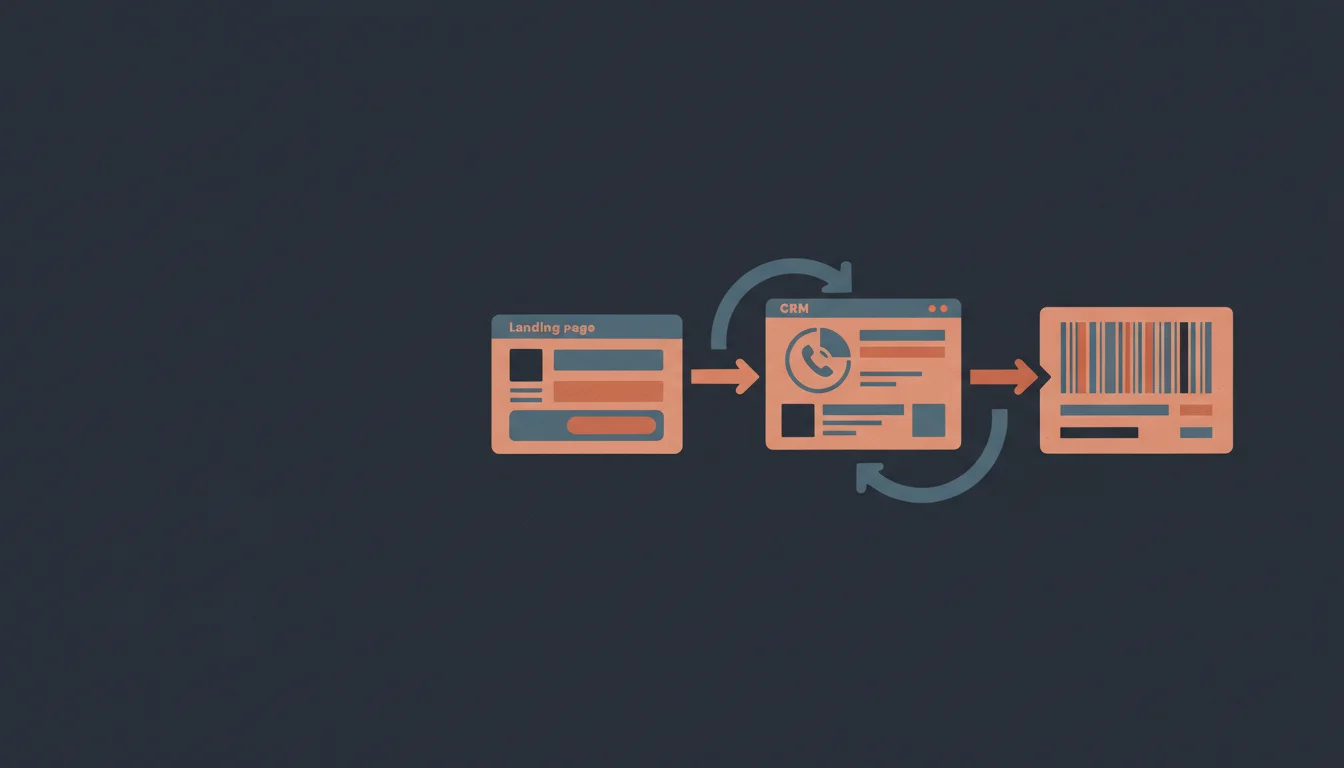
How a landing page lead reaches your CRM

The customer opens the landing page from an ad, chooses a bundle, and fills in the form: name, phone, city, and Nova Poshta branch or post office. The phone number is checked as a local mobile number, and spam protection filters out bots. This means your CRM doesn't get junk like random characters in the phone field.

After the button is clicked, the lead goes to several places at once: your LandEmpire dashboard, Telegram instantly, and the chosen CRM. If needed, it's also duplicated to email, Google Sheets, or a webhook.

The lead stores UTM tags and sub1-sub5, so the CRM shows which source and campaign the customer came from. More details about the process are on the page about landing page with CRM for single-product business.

As a result, the manager doesn't have to copy anything: they open the CRM, see the new lead with all its fields, and call right away.

How to connect a CRM to a landing page: step-by-step guide

The steps are the same for most CRMs; only the place where you get the access key differs. Below is a sequence that works in practice.

  • 1. Build a landing page from a product card link (Prom or another store) at landempire.tech/try: the name, price, photos, and description fill in automatically, which takes 10-30 seconds.
  • 2. Sign up to save the page: without registration you can preview it, but not publish it.
  • 3. In your CRM, find the integrations section and create an access key (API key or token; the name depends on the service).
  • 4. In the landing page settings, choose your CRM and paste the key.
  • 5. Set up the form fields: what to collect from the customer, which fields are required, and whether a bundle choice is needed.
  • 6. Send a test lead from your own number and check in the CRM that the name, phone, city, branch, and tags are all there.
  • 7. Connect Telegram for instant notifications and a backup channel, such as Google Sheets: if something breaks in the CRM, the lead won't disappear.
  • 8. Connect your domain with a free HTTPS certificate and launch traffic.

What data to pass to the CRM: UTM, sub1, and postback

Each lead should carry not just contact details but also its origin. UTM tags show the source and campaign, while sub1-sub5 let you label the creative, traffic source, or affiliate. All of this is stored in the lead, so in the CRM you can calculate the approval rate for each tag.

For affiliate media buying, there's also a postback to the CPA network with the clickid and sub1 macros. When a lead is confirmed, the network receives a signal and credits the conversion. Without this, you have to reconcile spreadsheets by hand at the end of the week.

LandEmpire itself has analytics: visits, unique visitors, leads, conversion by day, and a breakdown by source, campaign, and sub1. There's also an A/B test with a statistical significance check, so you don't pick a variant by gut feeling.

The first test lead costs nothing, so check how the tags appear in your own CRM. If a field you need didn't make it there, it's better to find out before you launch ads.

What to do with a lead in the CRM: no answer, repeat calls, approval

Call speed makes a big difference. The lead arrives in Telegram the same second, while the customer still has the phone in hand and remembers ordering. An hour later, they're already looking at other offers.

Set up separate statuses in the CRM for no answer and for reminders to call back at different times of day. Don't enter the reason for rejection as free text; make a list, for example: changed mind, too expensive, didn't leave a lead. After a week you'll see a pattern and understand what to change: the offer, the price, or the form.

Compare approval rates not only by manager but also by sub1. It happens that one creative brings in a lot of leads, but almost all of them drop off during the call. Then the money goes into the red, even though everything looks good in the ad account.

Pay special attention to refusals at the branch. This is no longer a landing page problem but a question of order confirmation and the manager's work: ask again whether the customer will definitely pick up the parcel.

How much a CRM and landing page combo costs

CRM prices change, so check them on the services' websites and calculate by the cost per processed lead, not per month. If one manager works alone, an expensive system isn't needed at the start.

LandEmpire plans are as follows: Free for $0 (3 leads per month, with a platform badge), Start for $8 per month, Pro for $19, and Business for $39. Paying annually equals 10 months. You can try Pro free for 7 days, no card required.

To test the combo in practice, take a product link and try building a landing page at the free build. The page appears in 10-30 seconds, you'll see the form right away, and you'll connect the CRM after registering.

A test launch costs almost nothing, and it answers the main question: does the lead reach the CRM in the form your manager is waiting for?

Frequently asked questions

Which CRM should I choose for single-product e-commerce?

Choose the one that fits your business model: HubSpot, Pipedrive, Bitrix24, or SendPulse CRM. For dropshipping, people often look at Pipedrive; for working with email campaigns, SendPulse. Try the demo, check your funnel and the connection to delivery, and the landing page connects to any of them.

Do I need a CRM for an online store if I sell one product through a landing page?

Yes, even for one product a CRM will help you calculate your approval rate and keep leads from slipping through. At the start, a basic funnel with a few statuses is enough. A catalog and inventory management only become necessary as your product range grows.

HubSpot or Pipedrive: which should a dropshipper choose?

A dropshipper should test both and see which one works more conveniently with their suppliers. Pipedrive is often chosen for its dropshipping focus, HubSpot for its versatility. The LandEmpire landing page sends leads to both.

How do I connect Bitrix24 to a landing page?

Create an access key in Bitrix24, paste it into the landing page's integration settings, and send a test lead. If it appears in the CRM with all the fields, the connection works. You can find more details on the page about landing pages with Bitrix24.

Can I receive leads in both the CRM and Telegram at the same time?

Yes, leads can be sent to several channels at once. In Telegram the message arrives instantly, while the CRM keeps tracking the lead by status. You can also connect email, Google Sheets, and a webhook.

Is there a free CRM system for beginners?

Free plan terms depend on the service, so check them on the CRM's website. At the first stage you can get by with Google Sheets, where leads from the landing page arrive automatically. Once your volume grows, you can move to a full-featured CRM.

Can I try building a landing page for a CRM without signing up?

Yes, you can build a landing page without signing up at landempire.tech/try, using a link to the product card. The page is built in 10-30 seconds and is visible right away. Signing up is required to save it, connect a CRM, and publish.

Read more about this

All articles →

Other topics

Try it now

Paste the link to your product - in a minute you'll see a ready landing page. No registration required.

Prom, AliExpress, Amazon, or any store. No sign-up needed - you'll see the result right away.AliExpress, Amazon, eBay, or any store. No sign-up needed - you'll see the result right away.

Build a landing page for free

No registration needed. Pro for 7 days, no card required, once you save your landing page.