How to delete your account and all data
You can't delete your account from the dashboard yourself — send a request to landempiresupport@gmail.com from the email your account is registered with. Before that, cancel your subscription auto-renewal and save what you might need: leads, page HTML, landing pages for clients. You can delete individual landing pages yourself in the "Landing pages" section.
Step 1. Save what you need
Deleted landing pages and leads can't be restored — there's no trash bin. The dashboard is available in your local language (UA / RU / EN toggle at the bottom of the menu), so names match your local dashboard. Before deletion, check what's worth taking:
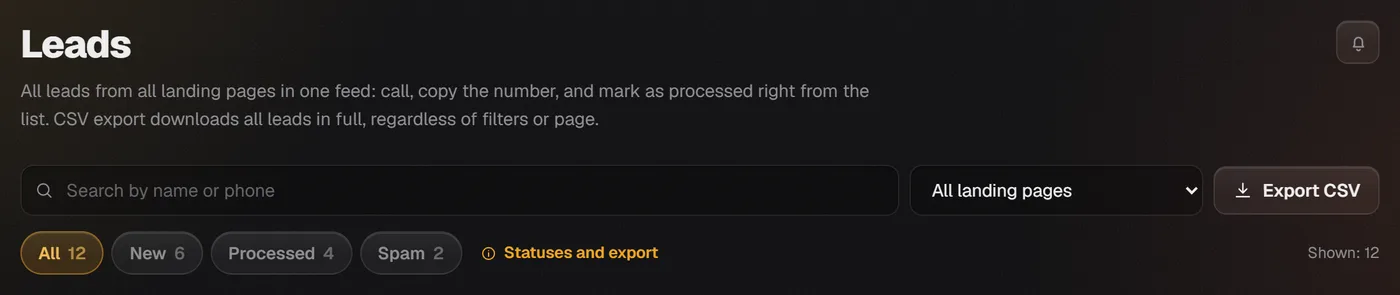
- Leads with customer phone numbers: "Leads" section → "Export CSV" (available from Pro plan).
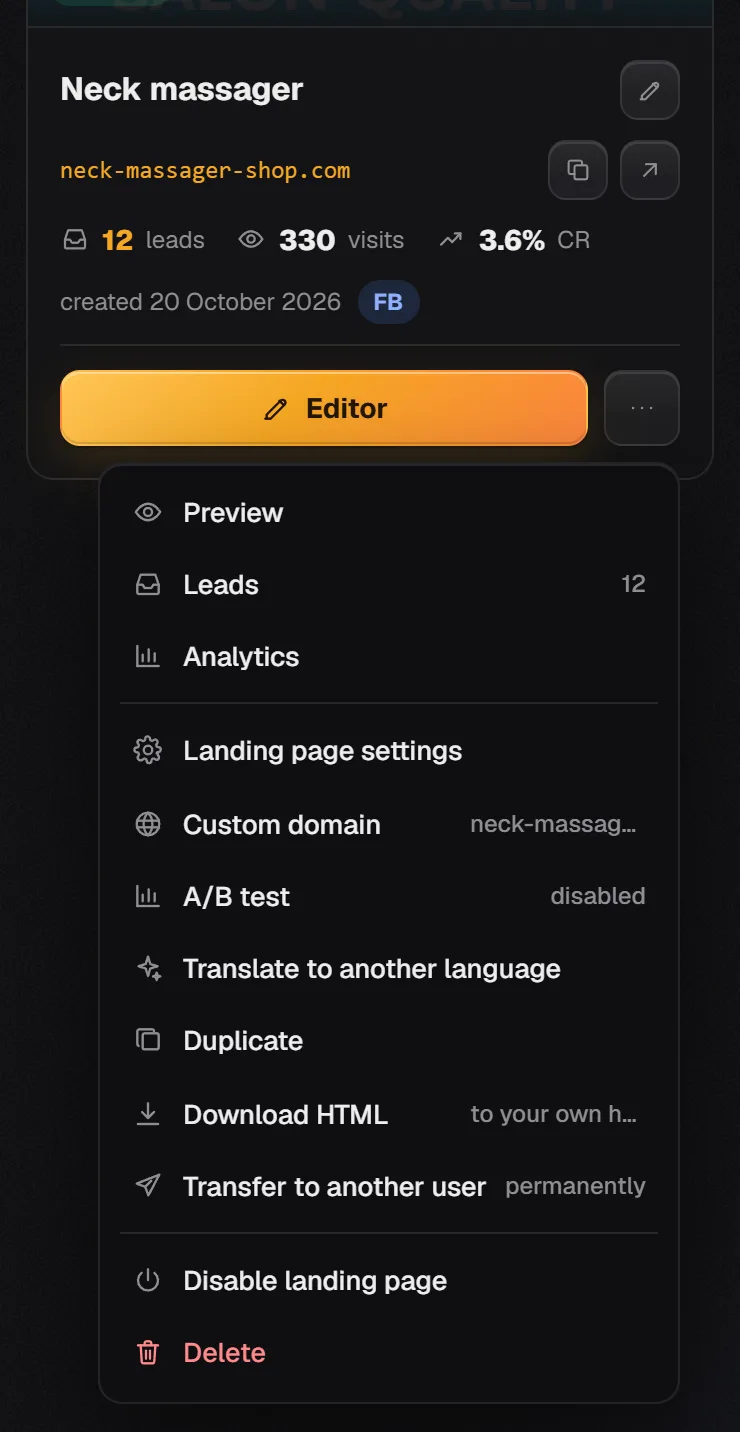
- Pages: "Landing pages" → landing page menu (⋯) → "Download HTML" (available from Pro plan). The layout, text, and photos in the file stay with you forever, but the form is handled by our script, which only works with an active paid plan: after account deletion, the form in the file won't accept orders.
- Landing pages made for clients: "Landing pages" → menu (⋯) → "Transfer to another user" (available from Pro plan) — the page moves to your client's account along with leads and settings.
- Your own domain: remove the A record at your registrar that points to the platform's IP if the domain will be hosted elsewhere.
Step 2. Stop charges
If you have a paid plan with auto-renewal, disable it yourself: "Plan" → "Subscription" block → "Remove card" link at the bottom. No more charges will occur, and your paid period will continue until the end. If your first payment was less than 14 days ago, you can request a full refund in the removal confirmation email — see the article for details on how this works. Cancel auto-renewal and get a refund.
Step 3. Send a deletion request
Write to landempiresupport@gmail.com. So your request doesn't get lost and there are no questions about whose account it is, write from the email your account is registered with and clearly state that you want to delete your account completely, including landing pages, leads, and photos.
Don't send your password, codes, or card details in the email — they're not needed for deletion. Account-related emails arrive while the account exists; after deletion, there's nowhere for them to come from.
How to delete a single landing page yourself
If you only need to remove pages, not the whole account, do it in the dashboard: "Landing pages" → landing page menu (⋯) → "Delete". The page is permanently deleted along with its leads with customer phone numbers and all statistics, so export leads first — see Statuses and lead export.
If you just need to hide the page from access without deleting it, the same menu has "Disable landing page": it will stop opening for customers, but the data stays.
Inactivity deletion notice
Abandoned accounts get deleted, and we're straightforward about it. An account is deleted only if all conditions are met at the same time:
- no one has logged into the dashboard for three months;
- the account has never paid for anything;
- its pages had no leads or visits during that time.
How to save your account if you get such a notice
First you get a warning email two weeks in advance, then another one three days later, and only after that is the account deleted along with uploaded photos and files. Any dashboard login cancels the deletion: if you use your account, just log in. Accounts that have paid at least once are not deleted due to inactivity.
What's not here
There's no self-service account deletion button in the dashboard — only a support email request. Deleted accounts, landing pages, leads, and photos can't be restored. Lead export to CSV and HTML download are available from the Pro plan; Free and the new Start plan don't have this export. Phone support is not available.
Frequently asked questions
How do I delete my account completely, including all data and landing pages?
Send a request to landempiresupport@gmail.com from your account email. There's no self-service account deletion button in the dashboard. Before that, export your leads and cancel auto-renewal.
Delete my account completely, and no more emails.
Write to landempiresupport@gmail.com from the email your account is registered with. Account emails arrive while the account exists, so they'll stop after deletion.
I got a message that my account will be deleted due to inactivity. I do use it, just don't log in often.
Just log into your dashboard — any login cancels the deletion. Only accounts with no logins for three months, no payments, and no leads or page visits get deleted.
Can I restore my account or landing page after deletion?
No. There's no trash bin — deleted landing pages, leads, and photos can't be restored. So export everything you need in advance.
Will I be charged after requesting deletion?
To avoid any unwanted charges, simply disable auto-renewal yourself: "Plan" → "Subscription" → "Remove card". Your paid period will continue until the end.
Other topics
Try it now
Paste your product link — get a ready-made landing page in a minute. No sign-up needed.
Pro for 7 days free, no card required