Delivery service for business: contract, payment control, and order intake from landing pages

Delivery service for business means shipping under a contract: you get a dashboard for TTNs, terms for the sender, and a service where money from the buyer on delivery goes to you. Below we cover how to sign a contract, how cash on delivery works, how to track the money, and how to make sure a landing page order arrives with the city and branch for the TTN.

Build Landing PageNo registration needed. Pro for 7 days, no card required, once you save your landing page.

Delivery service for business: what it is and how it differs from sending as an individual

A delivery service for business works under a contract. You register as a sole proprietor (FOP) or company, get a personal dashboard and fixed terms, and can add extra services, including money transfers from the recipient. As an individual, you pay for each shipment under standard rules and have no accounting tools.

For single-product sellers, the difference shows up in small details that multiply across hundreds of parcels: creating TTNs in the dashboard, shipment history, registers, and transfer reconciliation. If you send several parcels a day and fill out each one at the branch by hand, that time is better spent on calling leads. Unreached leads already eat into part of the budget.

Another advantage of a contract: storage, return terms, and rates can be negotiated with the delivery service's manager. Discounts depend on volume and destinations, so don't count on one upfront, but it's worth asking.

Many sellers search for this in Russian, «служба доставки для бизнеса», but the idea is the same: a contract, a dashboard, TTNs, and money in your account after the parcel is picked up.

How to sign a contract with a delivery service for business and what to check before signing

Contracts are usually signed through the delivery service's personal dashboard on its website or through a manager who handles business clients. Procedures and forms change from time to time, so check the carrier's website for current steps. Prepare your sole proprietor (FOP) or company details, an IBAN for transfers, and a contact person.

The main mistake newcomers make is signing a contract without reading the return rates. For single-product sellers this is critical, because some parcels inevitably come back. Clarify how many days a parcel is stored for free, who pays for return shipping, and what happens after the storage period ends. For more on this, see our article on refusing a parcel from a delivery service.

Second item: money transfer terms. Ask what commission applies to cash on delivery, who pays it, how quickly funds reach your account, and how to get the transfer register. It's better to have all of this in writing, in a letter or the contract, not in a verbal agreement.

Third item: which TTN creation channels are available. If you work with a CRM or spreadsheet, ask how to import shipments so you don't have to enter data twice.

Cash on delivery with a delivery service: how it works and who pays the commission

Cash on delivery with a delivery service works like this: the buyer pays for the goods on receipt, and the carrier transfers that money to the sender. For the buyer, it's a "pay when I see it" model, so on the landing page it removes the main fear of ordering from an unfamiliar seller. For how to build this into your page, see our article on Landing page with cash on delivery.

You can assign the transfer commission to the sender or the recipient when creating the TTN, depending on the terms. For single-product sellers, it's important to build it into the price or delivery cost in advance. Otherwise your margin disappears after approval, when it's too late to change the price.

Calculate your net margin per order: sale price minus purchase cost, minus delivery, minus transfer commission, minus ad spend per lead. Also set aside a buffer for refusals: if a parcel comes back, you usually pay for the return trip.

The same principle applies to mail. If you're choosing between two carriers, compare their terms in the article on cash on delivery with Ukrposhta.

Payment control: how to make sure parcel money actually arrives

Payment control is not just a carrier service, but also your daily reconciliation process: which order was shipped, which was handed to the buyer, and which payment has already come in. The article on payment control delivery service explains what the service is, who pays for it, and how to choose a plan.

The minimum setup is a spreadsheet or CRM where each waybill number corresponds to a row with the lead and its statuses. For example: created, in transit, arrived, received, refused, money received. Without statuses, you won't understand where the money went: to a refusal, a delay, or a bookkeeping error.

Reconcile the payment register against your leads regularly: amount, date, waybill number. Send any discrepancy to the carrier's support right away, with the waybill number and the delivery date. A month later, these issues are much harder to resolve.

Pay special attention to parcels that have arrived but haven't been picked up. This is where the risk of refusal is highest. Calling the buyer before free storage ends often saves the order, and all you need for that is the phone number from the lead.

How to take orders from a landing page so you can create waybills right away

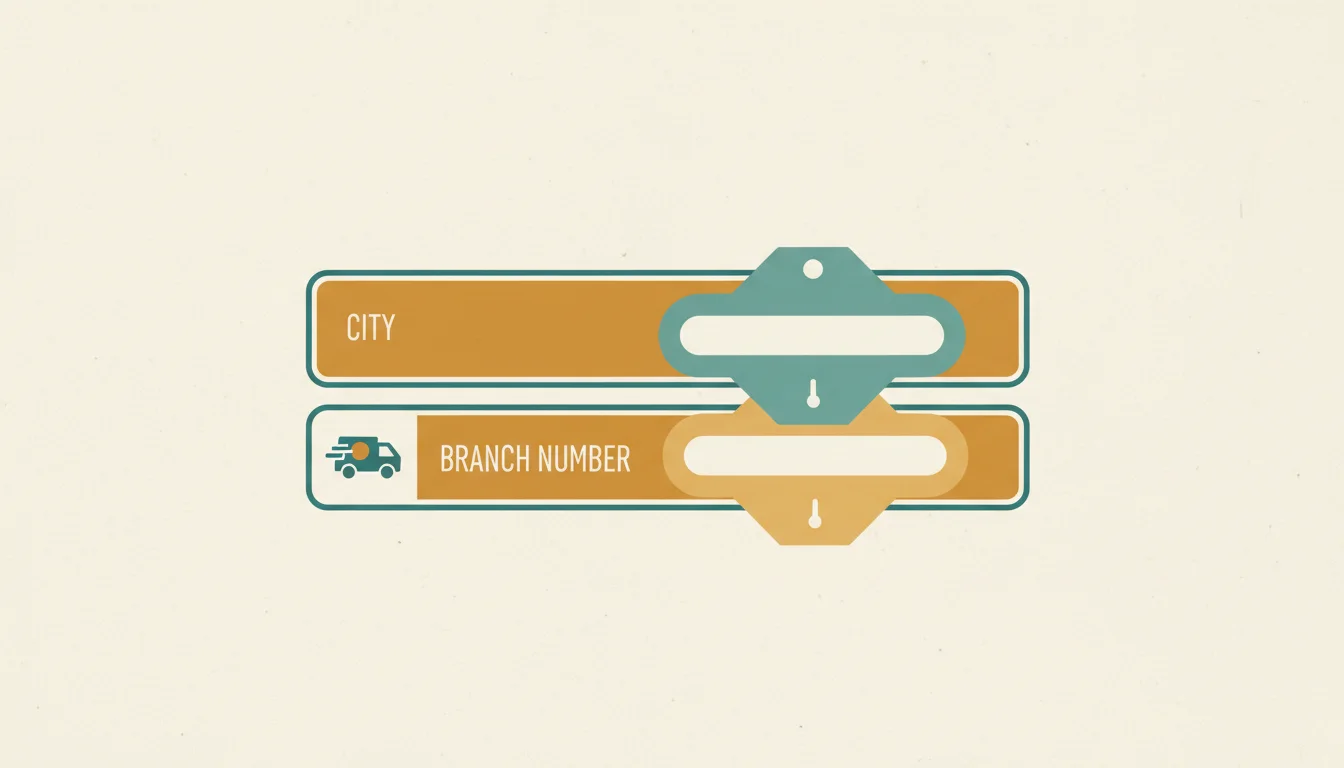
In e-commerce, most of the time goes to clarifying questions like "Which branch?" or "What's the number?" If the customer picks the city and branch in the form themselves, that call disappears. The lead arrives with the data ready for the waybill. For which fields the form needs and where it sends the data, see the article on order form for a website.

The LandEmpire form includes a city and branch picker for the delivery service or post office, local mobile number validation, and spam protection. Fields are customizable: you can keep only name, phone, and branch. The form won't accept a phone number with a typo in the digits, so missed calls caused by typing mistakes become rarer.

Leads go to your dashboard, Telegram instantly, email, Google Sheets, or a CRM: HubSpot, Pipedrive, Bitrix24, KeepinCRM, and others. For how to connect to your accounting system and send status updates back, see the article on landing page with CRM for single-product e-commerce.

UTM tags and sub1-sub5 are saved with the lead. You can see which campaign the order came from and then match it with the waybill status: approved, picked up, or refused.

How to take and ship orders through a delivery service: step by step

Below is a working setup for a seller who drives traffic to a landing page and ships with cash on delivery. It's the same whether you sell one product or several items.

Don't try to automate everything at once. First set up Telegram lead alerts and a spreadsheet, then add a CRM. That way you see real refusals and missed calls, not a pretty but empty system.

For how to set up the shipment itself, see the instructions in how to send a parcel with cash on delivery.

  • 1. Sign a contract with the delivery service: sole proprietor details, IBAN, return fees, and transfer commission in writing.
  • 2. Build a landing page from the product card link at landempire.tech/try: the name, price, photos, and form fill in automatically, but you need to register to save and publish.
  • 3. Check the form: city and branch selection, phone field, and the text about payment on delivery.
  • 4. Connect your own domain with free HTTPS and a Facebook or TikTok pixel so the ads can see the leads.
  • 5. Connect leads to Telegram and a CRM or Google Sheets so no lead gets lost.
  • 6. Call the customer: confirm the product, bundle, city, and branch. This is the approval.
  • 7. Create a cash-on-delivery waybill: amount, who pays the commission, and the branch from the lead.
  • 8. Send the customer the waybill number and track the status: in transit, arrived, received, or refused.

What's better for taking orders: a landing page, direct messages, or a catalog store

The choice depends on what you sell and where the traffic comes from. If your ads point to a specific product, the page needs to explain the benefit right away and take the lead. If customers have a wide selection, you need a different tool. The article on the differences between these approaches covers this in more detail: landing page and store for selling a product.

Below are the options for a seller who ships through a delivery service.

  • Direct messages and messengers: pros - zero setup and live conversation; cons - city, branch, and phone number are entered manually, address errors happen, and leads get lost between chats.
  • LandEmpire landing page: pros - the customer picks the city and branch themselves, the lead goes to Telegram and a CRM, UTM and sub1 are included, and you can run A/B tests; it works best when ads point to one product or bundle.
  • Catalog store: pros - convenient when the range is large; cons - longer setup, and traffic from an ad for a single product gets lost among other items.
  • Post office as a second delivery option: pros - often covers small towns better, and the form also lets customers pick a branch; cons - transfer terms and deadlines should be checked separately from the delivery service.

Refused parcels and unclaimed orders: how to calculate losses and reduce them

Cash on delivery has a downside: unclaimed orders. The parcel is shipped, the buyer doesn't pick it up, and you pay for the return trip and lose time on a repeat sale. Who pays what depends on the contract terms, so reread the returns section before you start buying traffic.

What actually reduces unclaimed orders: a confirmation call after the lead, an honest price in the ad and on the landing page, and no promises the product can't keep. A customer who clearly understands what they ordered and how much they'll pay is more likely to pick up the parcel. It's also useful to look at call center practice: calling leads and monitoring approvals.

Don't confuse approval with pickup. Approval means the call center confirmed the order. Money only comes in after the parcel is actually handed over. Calculate your economics based on pickups, not the number of leads.

Example from practice: two creatives bring roughly the same number of leads, but one produces noticeably more refusals. Without sub1 in the lead, you only see the overall picture and keep spending at a loss. With sub1 and a breakdown by source, you switch off the weak creative before the budget is spent.

How to calculate unit economics by traffic source with a delivery service for business

The goal isn't to ship the parcel, but to get the money back with a profit. That takes data from both sides: what the ad platform shows and what the carrier shows.

In LandEmpire you see visits, unique visitors, leads and conversion by day, plus a breakdown by source × campaign × sub1. If you work through a CPA network, the postback goes out with the clickid and sub1 macros. For web publishers, there's a separate guide on [landing page for a CPA offer].

Then add the parcel statuses from your CRM or spreadsheet: received, refused, money received. That way one campaign shows the full path from click to payout, not just the lead.

To test the setup without risk, build a landing page for the product link on the free build. The page builds in 10-30 seconds and is visible right away. You can try the Pro plan free for 7 days, no card required, if you need CRM, pixels and A/B testing.

Frequently asked questions

How do I connect a delivery service for business?

You connect through a contract with the delivery service, which you can sign in your dashboard or through a manager. Prepare your sole proprietor (FOP) or company details and an IBAN for transfers. Before signing, clarify the return, storage, and money transfer fee rates.

How much does cash on delivery cost with a delivery service?

The cost depends on the transfer amount and the terms of your contract. For exact rates, check the delivery service's website or ask your manager. Build the commission into the product price or delivery cost in advance so you don't lose margin.

Who pays the commission for cash on delivery with a delivery service?

The sender or the recipient can pay the commission; you choose this when creating the TTN. For single-product sellers, it's usually easier to build it into the price for the buyer. Check your contract for available options.

What is payment control with a delivery service, and how is it different from cash on delivery?

Payment control is a carrier service in which it collects money from the recipient and transfers it to the sender. In conversation it's often called cash on delivery. Exact terms and names depend on the plan, so check them in your contract.

How quickly does money arrive from cash on delivery?

Timing depends on the contract terms and how you receive the funds. Clarify exact timelines with your manager and put them in the contract. For bookkeeping, match the transfer register against TTNs in a spreadsheet or CRM.

Can I accept landing page orders with a delivery service branch right away?

Yes. In the LandEmpire form, the customer selects the city and delivery service branch. The order arrives with a ready address for the TTN, and the phone number is checked against the local mobile format. This reduces the number of calls for clarification.

Can I ship through both a delivery service and the post office from one landing page?

Yes, the form lets customers choose a delivery service or the post office. They pick the option that suits them, and you receive the city and branch in the order. Compare transfer and storage terms for each carrier separately.

What should I do if a buyer refuses a parcel?

First, call the buyer before the free storage period ends and find out why. If they don't pick up the parcel, it will be returned to you, and your contract defines who pays for the return shipping. Mark the refusal in your CRM and add the number to your high-risk list.

Roast your landing pagePaste your page URL or a competitor's: in 20 seconds you get a score out of 100 and a list of what's killing your leads. Free, no sign-up required.

Read more about this

All articles →
5 min read

Refused Parcels: 6 Reasons Why Customers Don't Pick Up Their Orders

Parcels go unclaimed because the customer forgot the branch, changed their mind over the price, waited too long, doubted the product, found pickup inconvenient, or the order wasn't confirmed well. A reminder on day 2 after arrival lifts the pickup rate by 8-12 pp.

  • unclaimed parcels
  • approval rate for single-product e-commerce
  • parcel refusal

Other topics

Try it now

Paste the link to your product - in a minute you'll see a ready landing page. No registration required.

Prom, AliExpress, Amazon, or any store. No sign-up needed - you'll see the result right away.AliExpress, Amazon, eBay, or any store. No sign-up needed - you'll see the result right away.

Build Landing Page

No registration needed. Pro for 7 days, no card required, once you save your landing page.